Cat6 vs Cat6A: Which Cable Should You Install?
The short answer
For a new office, school, hospital or any building with Wi-Fi access points and PoE devices, install Cat6A. It carries 10 Gb/s over the full 100 m channel, runs cooler under high-power PoE, and is what current TIA standards recommend for new work.
Cat6 is still a sound choice for short desk runs, small offices, homes and CCTV or phone networks that will stay at 1 Gb/s. It costs less, is thinner and is easier to install.
The rest of this post explains the real differences on site: distance, crosstalk, heat, cable size and cost. It ends with a checklist you can use on your next job.
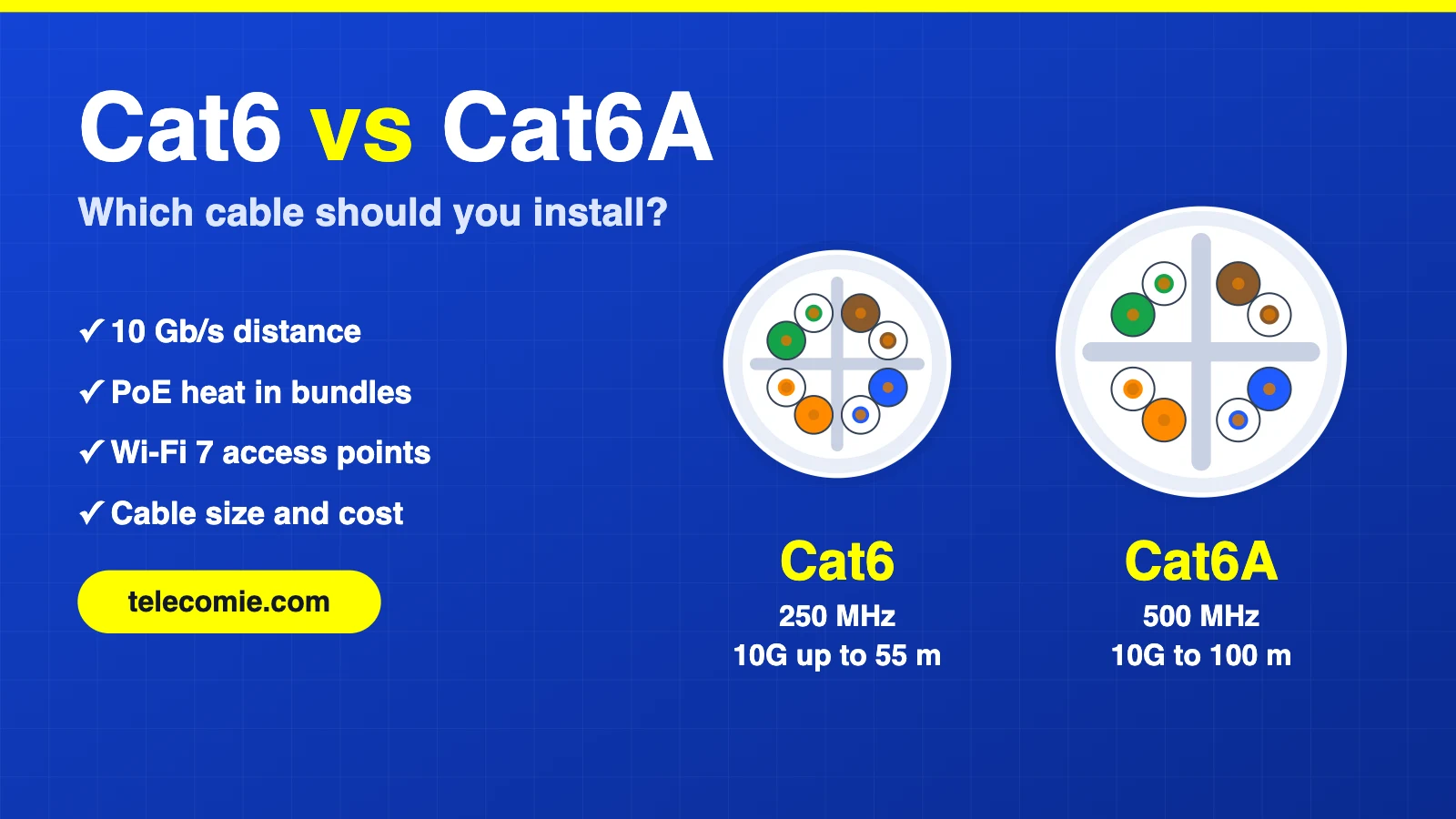
Cat6 vs Cat6A at a glance
| Cat6 | Cat6A | |
|---|---|---|
| ISO/IEC channel class | Class E | Class EA |
| Rated bandwidth | 250 MHz | 500 MHz |
| 1 Gb/s (1000BASE-T) | 100 m | 100 m |
| 2.5 / 5 Gb/s (NBASE-T, for Wi-Fi APs) | 100 m | 100 m |
| 10 Gb/s (10GBASE-T) | Up to 55 m, less where alien crosstalk is high | 100 m |
| Alien crosstalk | Not specified, so 10G is never guaranteed | Specified and tested |
| Typical UTP outside diameter | About 5.5 to 6.5 mm | About 6.5 to 8.5 mm |
| PoE heat in large bundles | Runs warmer | About 25% more cables allowed per bundle at the same 15 °C rise (100 W PoE) |
| TIA recommendation for new installs | Allowed | Recommended |
| Material cost | Lower | Higher (see Cost below) |
Cable diameters vary a lot by maker and by shielded or unshielded build. Always use the datasheet figure for fill and bend calculations.
What the difference means on site
1. 10 Gb/s distance
Cat6 can carry 10GBASE-T, but only up to about 55 m, and only if the cables around it don’t add too much noise. Beyond that the link may train down or drop errors. Cat6A is designed and tested for 10 Gb/s over a full 100 m channel (90 m permanent link plus patch cords).
In practice: if any horizontal run is over 55 m and might ever need 10 Gb/s, Cat6 is the wrong cable.
2. Alien crosstalk
Alien crosstalk is noise coupled from the neighbouring cables in a bundle, not from the pairs inside the same cable. At 10 Gb/s it is the main limit. Cat6A cables are built to control it, with better pair separation, a larger diameter or a shield, and the standard sets limits for it. Cat6 has no alien crosstalk limit, which is why its 10 Gb/s reach is uncertain.
3. PoE and heat
High-power PoE (IEEE 802.3bt, up to 90 W at the switch) pushes current through every pair. In a tight bundle the cables warm up, resistance rises and performance drops. Cat6A’s thicker conductors and larger jacket shed heat better. TIA guidance allows roughly 25% more Cat6A cables per bundle than Cat6 for the same 15 °C temperature rise at 100 W.
In practice: for PoE lighting, PTZ cameras, LED displays or Wi-Fi 7 APs in big bundles, Cat6A gives you more headroom.
4. Size and pathway fill
Cat6A is noticeably fatter. That means fewer cables per conduit or tray, larger bend radii and heavier bundles on J-hooks. Plan the pathway for Cat6A from the start; retrofitting a Cat6-sized conduit with Cat6A rarely works. Use our Conduit Fill Calculator to check how many cables fit.
Wi-Fi access points decide it
Wi-Fi access points are usually the first devices on a floor to outgrow 1 Gb/s. Enterprise Wi-Fi 6E and Wi-Fi 7 APs now ship with 2.5 Gb/s, 5 Gb/s and sometimes 10 Gb/s uplinks, and many need 802.3bt PoE.
- 2.5 and 5 Gb/s (NBASE-T): run over both Cat6 and Cat6A to 100 m, so today’s APs work on either.
- 10 Gb/s: needs Cat6A for anything past about 55 m.
- Lifespan: horizontal cabling is expected to last 15 years or more, which is three or four generations of APs.
TIA’s guideline for cabling wireless access points recommends Cat6A, and many designers run two Cat6A cables to each AP location. If you are only going to upgrade one part of a building’s cabling, make it the AP drops.
Cost: look at the installed price, not the box price
A box of Cat6A costs noticeably more than Cat6, and Cat6A jacks and patch cords cost more too. The gap varies by brand and market, so get local quotes for both.
But cable is only part of the bill. Labour, containment, testing and the disruption of re-cabling later are bigger:
| Cost item | Cat6A impact |
|---|---|
| Cable and connectors | Higher |
| Labour to pull and terminate | Slightly higher (stiffer, larger cable) |
| Conduit, tray and J-hooks | Can be higher: fewer cables per pathway |
| Testing and certification | About the same |
| Re-cabling in 5 to 8 years for 10 Gb/s or PoE | Avoided |
On most commercial projects the cable is a small share of the total cabling cost, so the step up to Cat6A adds only a little to the whole job. Size your containment for Cat6A with the Conduit Fill Calculator, then plan pull points with the Conduit Run Planner.
Which one should you install? A quick checklist
Choose Cat6A if any one of these is true:
- The cabling must last more than 10 years (most commercial fit-outs)
- It feeds Wi-Fi 6E or Wi-Fi 7 access points
- Any run is longer than 55 m and might need 10 Gb/s
- Devices draw high-power PoE (802.3bt, over 30 W): PTZ cameras, PoE lighting, displays, APs
- Cables will run in large bundles (24 or more) or in hot ceiling spaces
- The client or consultant specification asks for TIA-recommended cabling
- It is a hospital, school, data center or smart building
Cat6 is fine when none of the above apply, for example:
- Short desk and phone runs in a small office that will stay at 1 Gb/s
- A home network
- A CCTV or access-control network with low-power PoE and short runs
- A temporary or short-life installation
If you are unsure, choose Cat6A. Pulling the right cable once costs far less than pulling it twice.
Installation and testing tips from the field
- Don’t mix categories. A channel only performs to its weakest part. Cat6A cable with Cat6 jacks or patch cords is a Cat6 channel.
- Respect the bend radius. Keep UTP bends at no less than 4 times the cable diameter. With Cat6A that radius is larger, so allow room behind faceplates and in floor boxes.
- Keep the twists to the termination. Untwist as little as possible at the jack, typically no more than 13 mm.
- Don’t crush bundles. Avoid over-tight cable ties; use hook-and-loop straps. Big, tight bundles also trap PoE heat, so split them where you can.
- Leave service loops neat. Coil spare cable loosely in the ceiling or rack, not as a tight figure of eight.
- Certify every link. Test each permanent link with a certification tester set to the right category (Cat6 or Cat6A, permanent link). For Cat6A in dense bundles, ask whether the spec requires alien crosstalk sample testing.
- Label both ends. Use one consistent scheme from the drawings to the patch panel.
Frequently asked questions
Can Cat6 do 10 Gb/s?
Yes, but only up to about 55 m, and only if neighbouring cables don’t add too much noise. Cat6A does 10 Gb/s over the full 100 m.
Is Cat6A worth it for a home?
Usually not. Most home devices and Wi-Fi routers run at 1 or 2.5 Gb/s, which Cat6 handles to 100 m. Choose Cat6A only for a long run to a 10 Gb/s device.
Do I need Cat6A for Wi-Fi 7?
For 2.5 or 5 Gb/s AP uplinks, Cat6 works. For 10 Gb/s uplinks, long runs or high-power PoE, use Cat6A, as TIA recommends.
Is Cat6A always shielded?
No. Cat6A comes as unshielded (U/UTP) and shielded (F/UTP, S/FTP). Unshielded Cat6A is thicker; shielded Cat6A is thinner but needs proper bonding and earthing.
Can I use Cat6A patch cords on a Cat6 installation?
Yes. It works, but the channel still performs as Cat6.
What about Cat7 and Cat8?
Cat7 is not a TIA category and uses non-RJ45 connectors in its full form. Cat8 is for short 25 or 40 Gb/s links inside data centers (up to 30 m). Neither is used for normal building horizontal cabling.
Sources and further reading
- Fluke Networks: Bright future awaits for Cat 6A, Cabling Installation and Maintenance
- A deep dive into TSB-184-A recommendations on cabling for PoE, Cabling Installation and Maintenance
- Bigger, better, faster, Cabling Installation and Maintenance
- Standards referred to: ANSI/TIA-568.2-D, TSB-155, TSB-162-A, TSB-184-A, IEEE 802.3an, IEEE 802.3bz, IEEE 802.3bt, ISO/IEC 11801